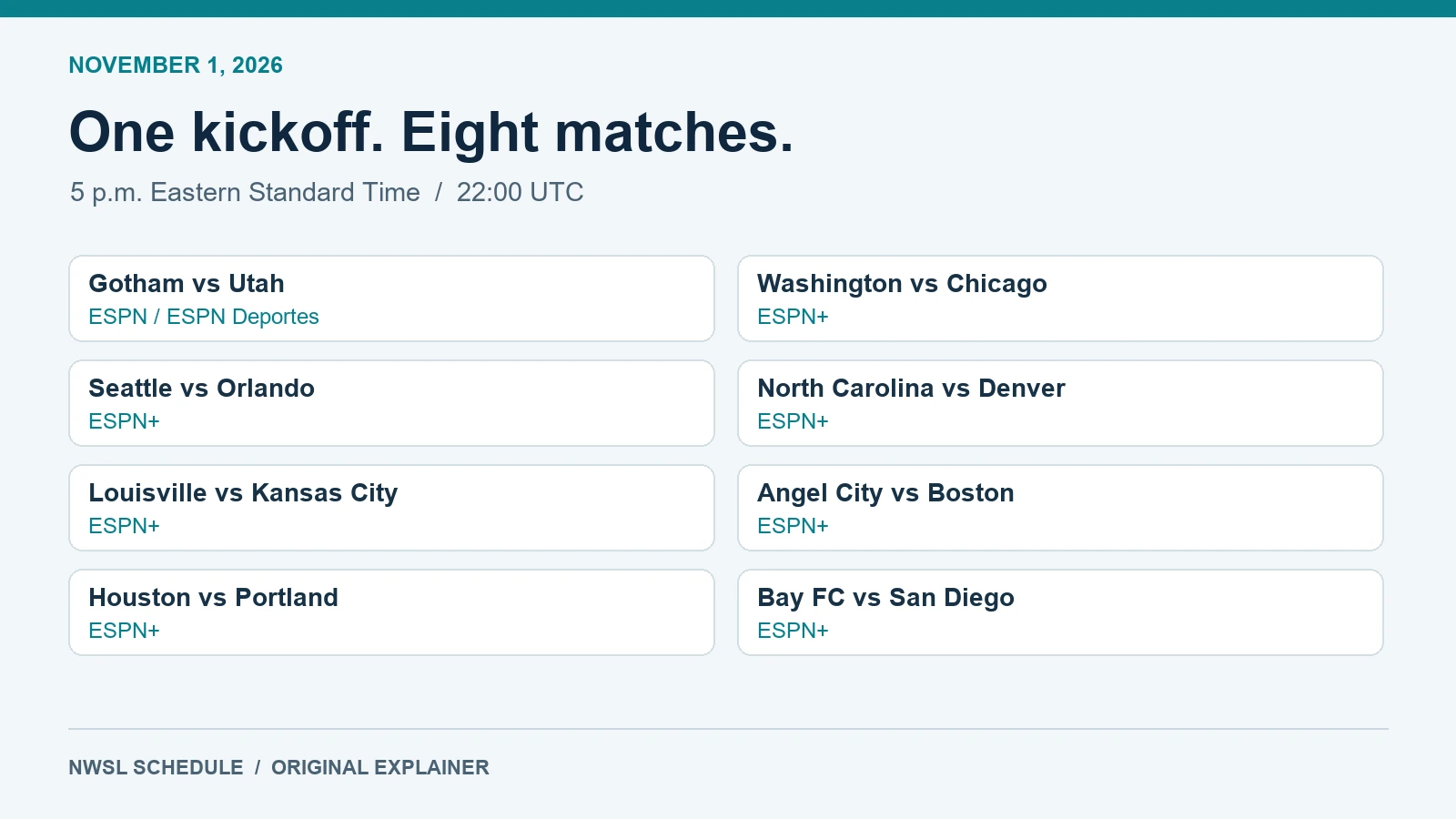
All eight November 1 games and their announced channels
NWSL Decision Day is Sunday, November 1, 2026. Every regular-season finale is scheduled for the same kickoff: 5 p.m. Eastern. Start with your team's individual feed, then decide whether you also want coverage of the wider league. A program showing selected moments from several grounds serves a different purpose from a continuous broadcast of your club's match.
The following assignments come from ESPN's October 26 announcement, checked October 29. These are scheduled fixtures, not completed results. The channel names identify the announced United States distribution; your subscription and territory determine access.
| Match | Announced U.S. match feed |
|---|---|
| Gotham FC vs. Utah Royals FC | ESPN and ESPN Deportes |
| Washington Spirit vs. Chicago Stars FC | ESPN+ |
| Seattle Reign FC vs. Orlando Pride | ESPN+ |
| North Carolina Courage vs. Denver Summit FC | ESPN+ |
| Racing Louisville FC vs. Kansas City Current | ESPN+ |
| Angel City FC vs. Boston Legacy FC | ESPN+ |
| Houston Dash vs. Portland Thorns FC | ESPN+ |
| Bay FC vs. San Diego Wave FC | ESPN+ |
For a simple example, a Portland supporter should locate Houston–Portland among the individual events rather than opening ESPN2 and assuming it will stay at that ground. A Gotham supporter seeking the Spanish-language option should look for ESPN Deportes. Treat the fixture name and channel together as the identifier; a large ESPN logo beside a list of events does not tell you which program you have selected.
Save the relevant event card before matchday and compare it with the current NWSL TV schedule. If a television guide appears to conflict with an app tile, check the date, time zone and whether it describes the full game or the separate studio-led program. Opening the correct competition page is useful, but playing the correct event is the final check.
This guide focuses on the newly announced final-day choices. The season-long ESPN guide remains useful for the broader broadcast arrangement. Keep those two tasks distinct when planning a watch party: first confirm the specific Sunday event, then confirm the account that will play it on the screen everyone intends to use.
Choose a full match, the whip-around show or multiview
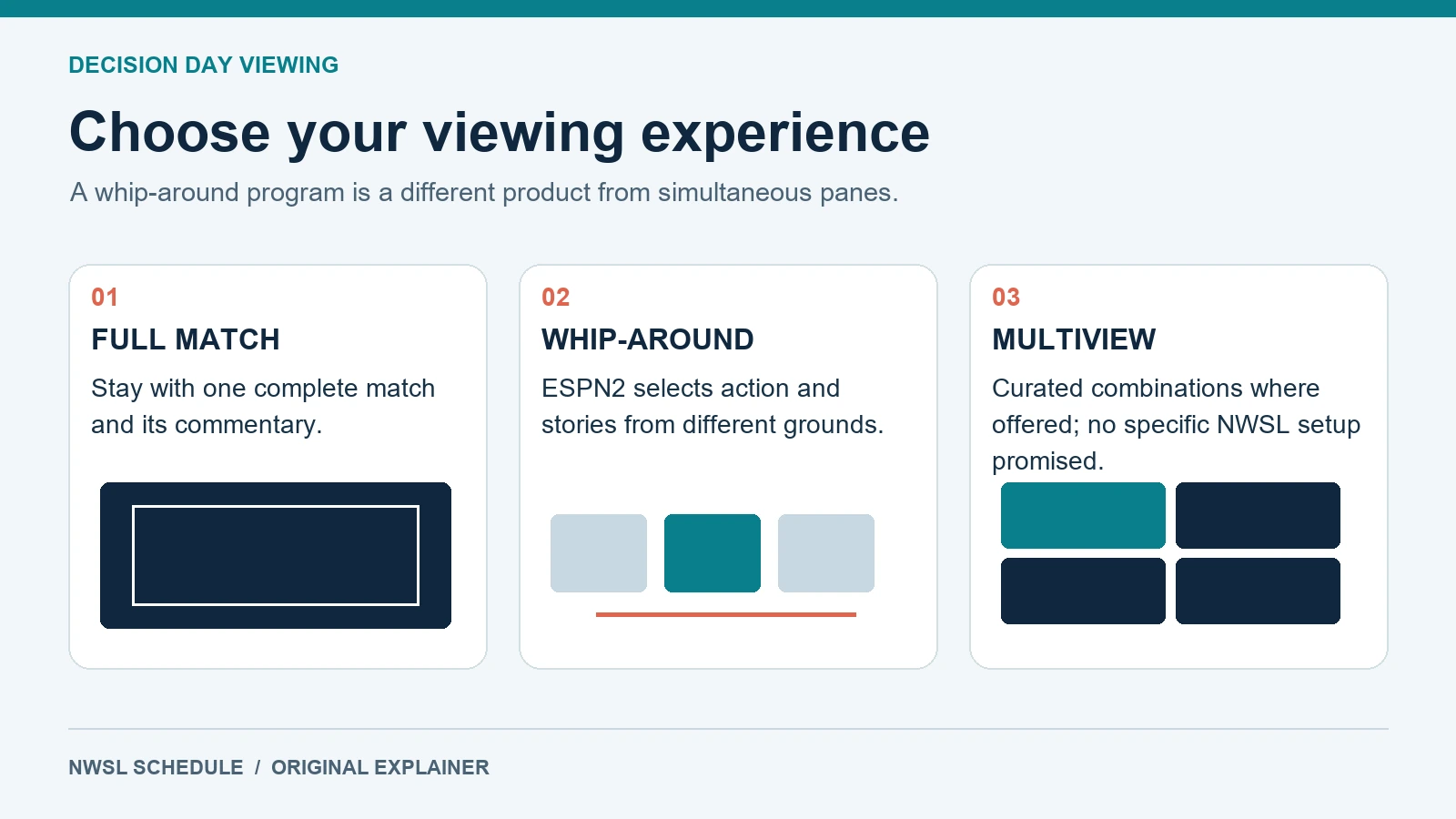
The most useful viewing choice depends on how you want to experience the afternoon. A full-match feed keeps you with one contest. A whip-around program lets its production team choose when to move elsewhere. Multiview puts several pictures on a screen together. Those experiences can complement one another, but none is a synonym for the others.
What ESPN2 will show
ESPN2's announced program begins at 5 p.m. Eastern and follows action and playoff implications across the league. That makes it a sensible primary screen for a neutral viewer who wants the changing story of the final day. It is also useful as a second screen for a supporter whose own team's game depends on results elsewhere.
The tradeoff is editorial control. The program can leave your club while its individual match feed continues. A midfield passage that matters to a team's tactical shape might receive less attention than a goal elsewhere. Choose the individual feed if you want to evaluate substitutions, watch a particular player or experience the entire game with one commentary team.
In the public discussion of the announcement, some commenters welcomed a league-wide program while others asked for multiview and objected to additional subscription barriers. These are examples of different audience needs, rather than evidence that one format satisfies every supporter. The practical response is to choose your main experience before kickoff.
Why multiview is a separate question
ESPN's multiview help page describes up to four games together, with combinations selected by ESPN, for Select and Unlimited subscribers. That general feature description does not confirm a particular NWSL combination on November 1. It also does not promise that you can freely build an eight-game wall of your choosing.
Check the options that actually appear on your intended device. A feature shown on a living-room television may not have the same controls on another screen. An available combination might omit the one match you care about most. Keep the direct event bookmarked so that a missing or unsuitable multiview option does not become a reason to miss kickoff.
For a mixed group, agree on the sound as well as the picture. One continuous commentary feed usually makes the room easier to follow than several competing audio tracks. If the main television carries the whip-around, explain to club-focused guests how they can reach their individual match within the access limits of the account they use.
Check your ESPN access before buying another subscription
A match appearing in an application is different from your account being entitled to play it. Before purchasing anything, list the specific feeds you want: your full match, ESPN2's league-wide program, or both. Then check your current subscription, bundle and television-provider benefits against that list. This avoids paying for overlapping access while still missing the program you actually wanted.
Select, Unlimited and television-provider access
ESPN's official bundle explanation distinguishes Select's ESPN+ library from Unlimited's additional live network access. ESPN's Unlimited help page includes ESPN, ESPN2 and ESPN Deportes among its networks. Select alone should therefore not be treated as a ticket to every linear ESPN channel.
For this slate, that distinction matters because the seven ESPN+ assignments and the ESPN2 whip-around are different products in the program guide. A supporter buying access for one ESPN+ fixture should check that event's entitlement. A viewer whose priority is the ESPN2 show should check network access. The shared app name does not erase that difference.
Television-provider access adds another account path. Check your provider's current benefits and any required activation rather than assuming every package has the same inclusions. If an account already carries a qualifying benefit, complete its linking process before considering a separate purchase. Use official account pages rather than a promotion described in an old article or a comment from another household.
Three concurrent streams do not mean eight open feeds
ESPN's concurrent-stream guidance currently permits up to three streams through its app and website, while warning that a television provider's own app can impose different limits. Do not plan eight independent live players on one ordinary account. Nor should you infer how a particular multiview session is counted from the number of panes visible on its screen.
A modest setup is easier to test: keep your full match on the main television and, if your access allows it, place the whip-around on a second device. Check whether anyone else in the household will be watching other ESPN content at the same time. A feed that works during a quiet afternoon test can still encounter an account limit once everyone starts watching.
If the application asks you to subscribe despite an existing payment, inspect the signed-in account and activation status first. Avoid starting a second recurring plan simply to get past an unexpected prompt. Confirm the current checkout terms, billing interval and cancellation route before authorizing any new subscription; this guide does not promise a particular price, promotion or trial.
Get the kickoff time right after the clocks change
There is an unusually easy scheduling mistake this weekend: carrying October's Eastern daylight-time offset into November 1. The National Institute of Standards and Technology confirms that U.S. daylight saving time ends at 2 a.m. local time that Sunday. By the afternoon kickoff, New York and Washington are on Eastern Standard Time, five hours behind UTC.
Consequently, the scheduled start is 22:00 UTC on November 1. Converting it as though Eastern were still UTC minus four would put an overseas viewer in front of the screen an hour early. The date matters as much as the clock: in parts of Asia and Australia, the games begin on Monday morning.
November 1 local-time conversion table
| Location or zone | Scheduled local kickoff |
|---|---|
| U.S. Eastern / New York | Sunday, November 1, 5 p.m. EST |
| U.S. Central / Chicago | Sunday, November 1, 4 p.m. CST |
| U.S. Mountain / Denver | Sunday, November 1, 3 p.m. MST |
| U.S. Pacific / Los Angeles | Sunday, November 1, 2 p.m. PST |
| London | Sunday, November 1, 10 p.m. |
| Paris | Sunday, November 1, 11 p.m. |
| Tokyo | Monday, November 2, 7 a.m. |
| Sydney | Monday, November 2, 9 a.m. |
These are conversions for this date, calculated from the same UTC instant with regional time zones. Do not reuse them unchanged for a summer fixture. London and Sydney also follow their own seasonal clock rules, which is why memorizing a permanent time difference between two cities can fail even when both clocks are working correctly.
Use the calendar subscription tools or a dated calendar entry with the correct region. When traveling, check which zone your phone and calendar currently display. A message saying only “Sunday at five” is ambiguous in a group chat containing supporters in several countries; include Eastern and the date, or share the dated event itself.
Set a setup reminder before the match reminder so that signing in does not consume the opening minutes. For a watch party, put the local start time on the invitation and separately state when guests should arrive. Finally, leave the end of the afternoon flexible. Simultaneous scheduled kickoffs do not guarantee identical halftime lengths, stoppage time or final whistles, so another ground can still be playing after your own game has finished.
Follow the standings without losing your own match
Three questions create different reasons to switch games: who wins the regular-season Shield, who gets the remaining playoff place, and how the qualified teams are seeded. A team can already be playoff-bound while still playing a consequential match. A place in the postseason and a home quarterfinal are separate achievements, so “clinched” needs an object attached to it.
Gotham's October 25 win at Orlando kept its Shield pursuit central to the final weekend. Seattle's Decision Day announcement identifies a different stake: securing the final playoff berth, alongside Jess Fishlock's last regular-season home appearance. Those are distinct reasons a supporter might prefer a full match even while a producer selects another ground for the league-wide show.
The Wave's official playoff hub explains the eight-team bracket: seeds one through four host the quarterfinals against eight through five respectively. Quarterfinals are scheduled for November 6–8. That gives a neutral viewer a concrete framework: a goal can change the prospective venue or opponent even when it does not change whether either team qualifies.
Keep the standings page beside your chosen feed, and distinguish the pregame table from a provisional live table and the confirmed final table. During a match, an in-progress score describes what would happen if the remaining action changed nothing. It is not a completed result, and a graphic briefly showing a club above the cutoff does not itself confirm qualification.
Make a short watch list instead of trying to track every possibility mentally. Put your club first, then list the other match or matches that could alter its relevant outcome. At halftime, compare the scores and match status at those grounds. Late in the afternoon, pay particular attention to whether another game has actually finished before celebrating a final seed or treating a displayed bracket as settled.
For a group watching different streams, compare match clocks before shouting a goal into the room. Separate devices can run at different delays, and a score notification may arrive before the television picture. Decide whether everyone wants immediate league-wide news or prefers to discover incidents through the main broadcast. That small agreement can prevent the most frustrating kind of viewing conflict without requiring everyone to watch the same way.
Build a viewing plan for home, a watch party or overseas
The final step is translating the broadcast list into an afternoon that works in your circumstances. A household with one screen needs a different plan from a bar with several televisions or a supporter watching before work in Tokyo. Start with the match you cannot miss, then add league-wide coverage only where your access and attention allow it.
A practical setup check before kickoff
- Confirm the fixture and date on the event card, including whether it is the individual match or ESPN2's whip-around.
- Sign in on the television or browser you will actually use, and check the account's entitlement and any provider activation.
- Test picture and audio with available content, while remembering that another event playing successfully does not prove access to every network.
- Check household stream use, charge any second device and keep your direct match link easy to reach.
- Agree on spoilers and audio before friends begin watching feeds with different delays.
If you are going to a watch party, ask the host which specific match or program will be on the main screen. “We have ESPN” is not a complete answer for seven ESPN+ events plus an ESPN2 program. For a commercial venue, let the operator confirm its own authorized service and capacity rather than bringing assumptions based on a home subscription.
If playback fails, first identify the kind of failure: an entitlement prompt, a device problem or an account stream limit calls for a different response. Keep the official event and support pages accessible. Repeatedly opening more live players can make account-limit problems harder to diagnose, while buying another plan will not necessarily fix a local connection problem.
International coverage and a spoiler-aware fallback
The official announcement directs viewers outside the United States to NWSL+ for the eight matches. Check your location, account requirements and the dated event listing there. An overseas supporter should not assume that U.S. ESPN subscription instructions describe the service available in their territory.
If the local start falls during work or sleep, check the actual replay or recording options your service provides before committing to a delayed viewing plan. The announcement does not establish a universal replay window, so this guide cannot promise one. If you want to watch later without knowing the score, avoid the whip-around, silence sports alerts and ask group-chat friends to keep results out of previews.
Once Decision Day ends, return to the match-by-match television schedule for the postseason. Rights and assignments for this particular Sunday do not establish every later round's broadcaster. A confirmed final bracket answers who plays whom; a confirmed event listing answers when and where you can watch that next match.
Loading comments…